Import your recipes from Instagram, TikTok and YouTube
Paste a link, a photo or a web page: AI extracts the ingredients and steps. Then cook step by step, plan your week and share your cookbook with your household, on iPhone, Android and web.
Free to try, no account needed. Create my recipe cookbook · See how it works
- users
- +1,800
- recipes imported
- +11,000
- on the App Store (32 reviews)
- 4.8
- on Google Play (45 reviews)
- 4.7
No more pausing every three seconds
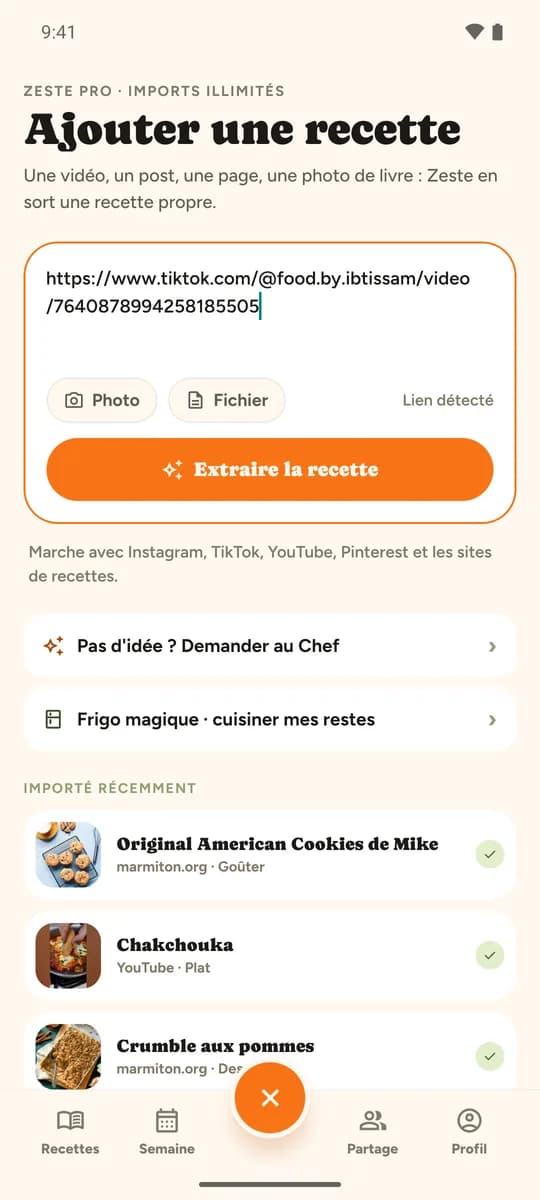
Paste the reel's link: in a few seconds, Zeste turns it into a proper recipe card, filed in your cookbook and readable even offline.
- Pausing the reel every three seconds
- Copying the quantities into the Notes app
- Searching for "that pasta recipe" three weeks later
- Ruining the sauce because an ingredient was missing
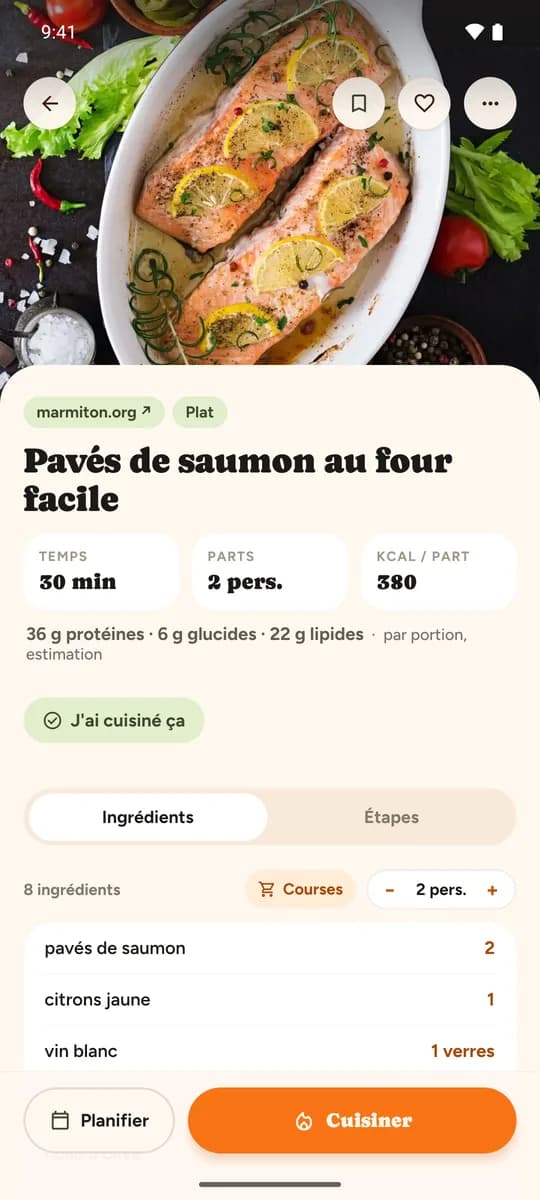
- Time, calories and macros per serving
- Adjustable servings, quantities recalculated
- Every ingredient with its quantity
- Plan it, or cook it step by step
Everything you need to cook
From automatic import to a shared household, Zeste makes everyday cooking simpler, on your phone and on your computer.
Instagram, TikTok, YouTube, Facebook, Pinterest, a blog, a photo of a cookbook or a PDF: AI pulls out the ingredients, quantities and steps.
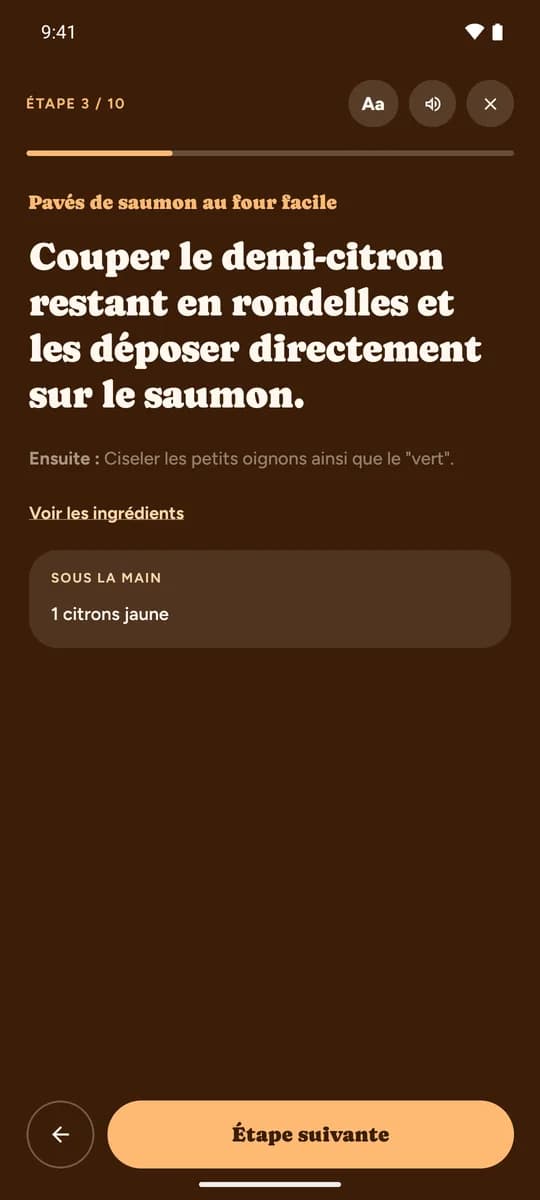
Large steps, screen always on, a timer that keeps going on the lock screen. You cook without touching your phone.
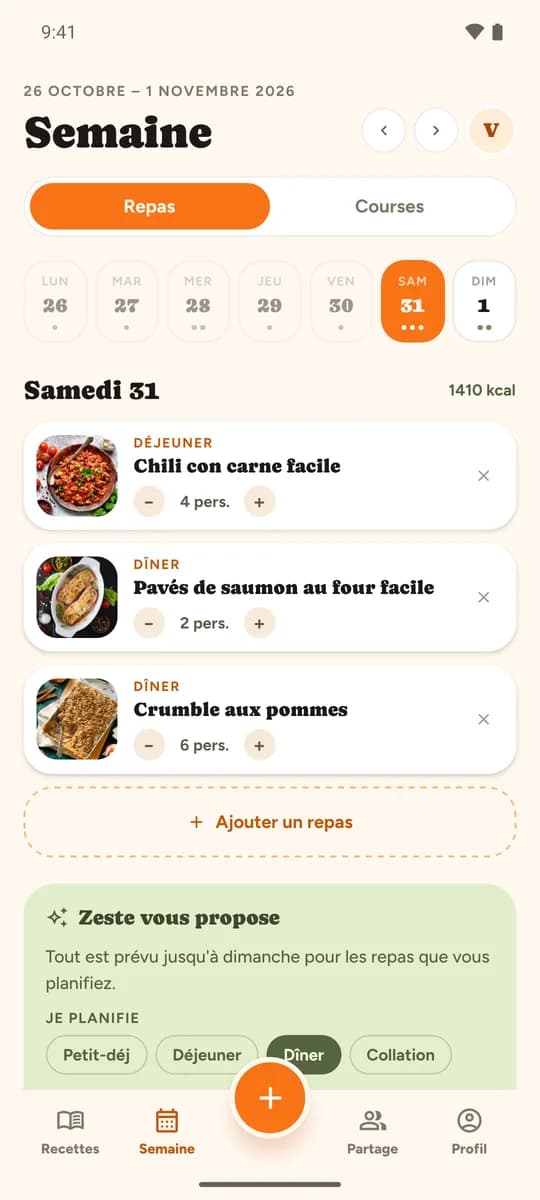
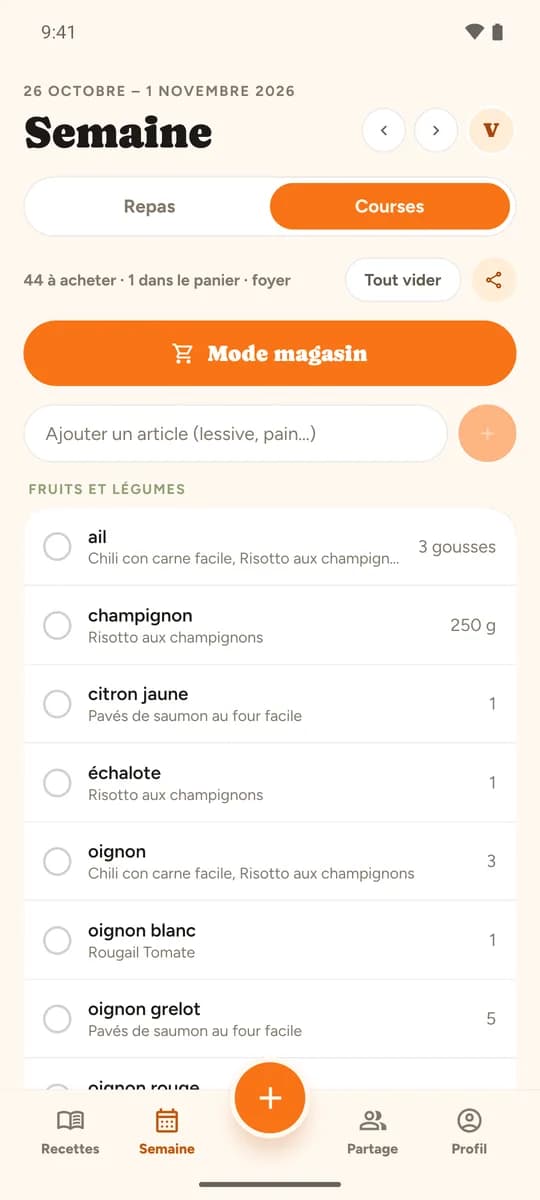
Lay out your meals for the week: the shopping list builds itself, grouped by aisle, with quantities added up.
One aisle at a time in full screen, check marks that stick even with no signal at the back of the store, and your pantry set aside.
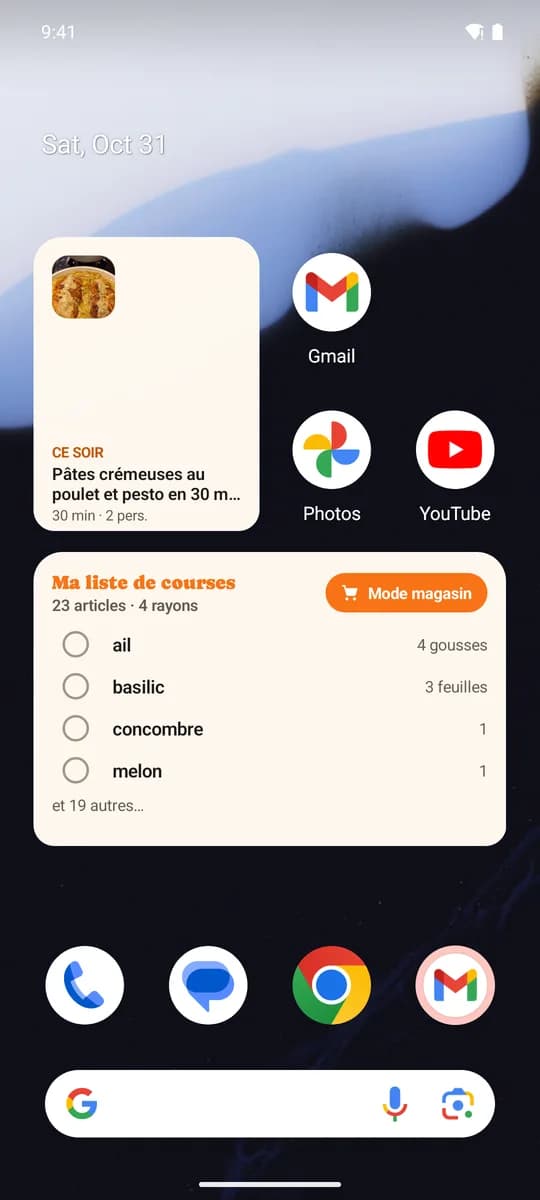
"Tonight's menu" and "My shopping list" on the iPhone and Android home screen, without opening the app.
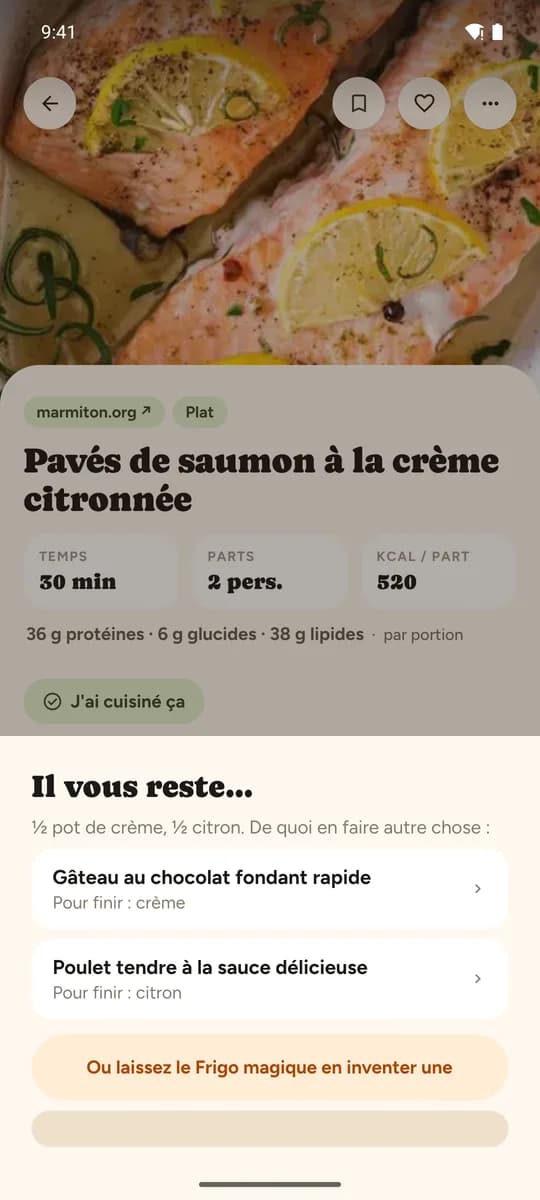
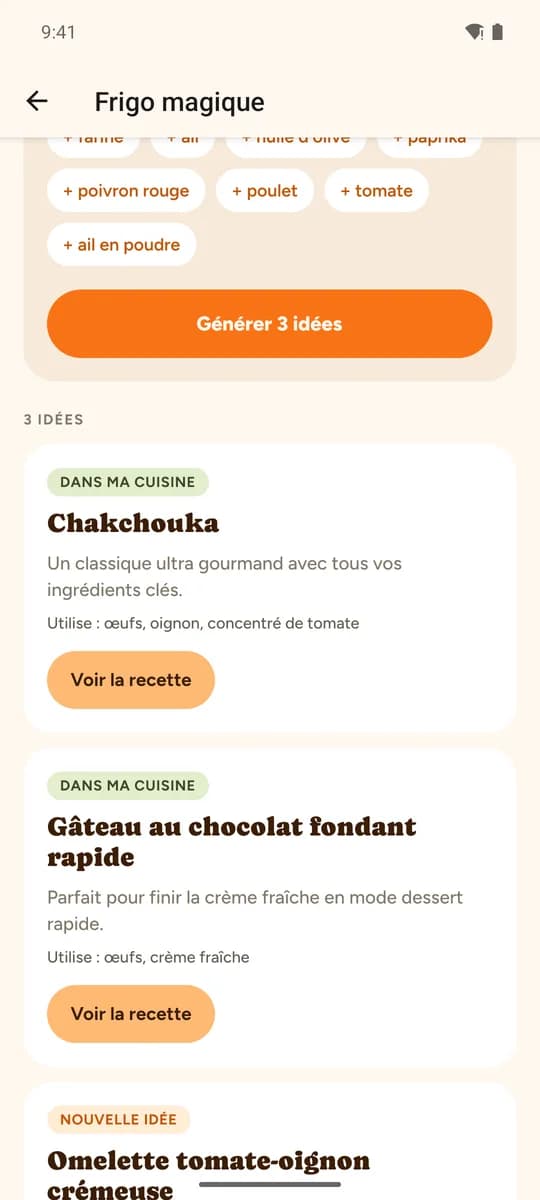
After "I cooked this", Zeste tells you what's left of the opened pot of cream and suggests two recipes from your cookbook to finish it.
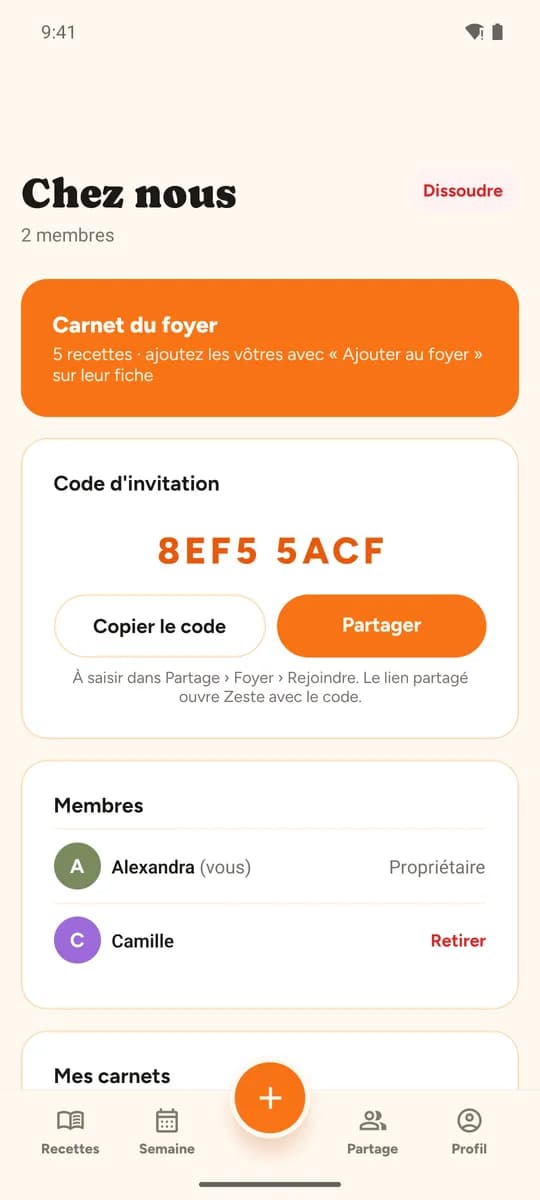
Cookbook, week and shopping list shared by the whole household. A recipe can also be sent by link, no account needed to read it.
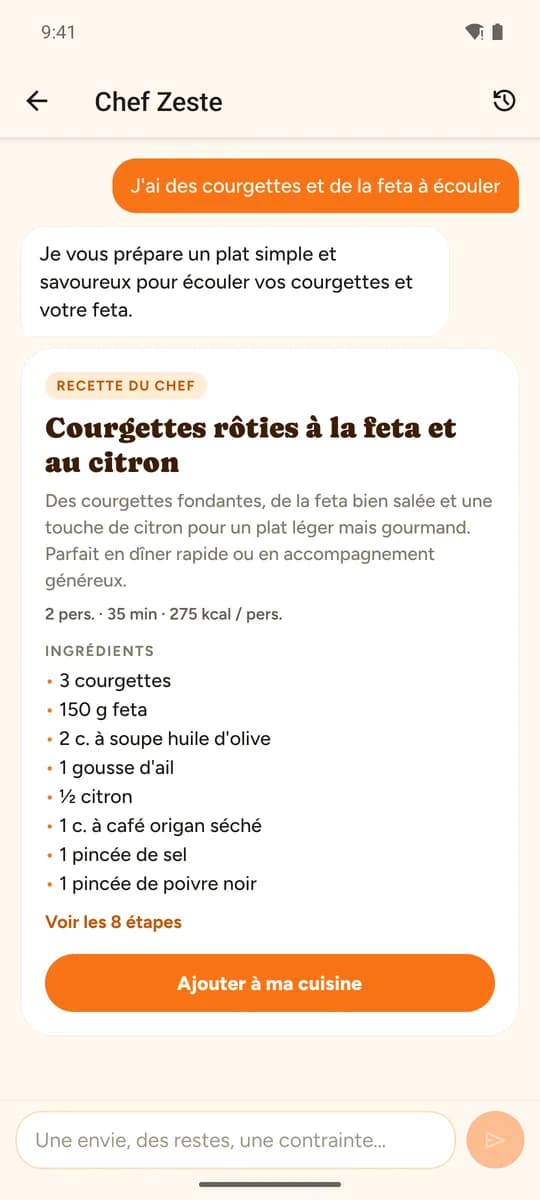
Tell it your craving, your leftovers or your guests: the chef invents a recipe that respects your diets and allergies, and files it in your cookbook.
Check off what's left in the fridge. Zeste finds what to cook in your cookbook, or suggests a recipe so nothing gets thrown away.
How does it work?
Three steps to turn an Instagram reel or a TikTok video into a recipe you can use in Zeste.
Copy the video link
On Instagram, TikTok or YouTube, open the recipe video and copy its URL from the share menu.
Paste the link into Zeste
Tap the + button in the app (or Import on zeste.cooking), paste the URL and start the import. From the Instagram or TikTok app, the Share menu sends the video straight to Zeste.
Cook from the structured recipe
Check the ingredients and follow the steps in cooking mode on your phone or tablet.
Examples of imported recipes
Real recipes transformed by Zeste's AI — see the full demo
Bœuf mijoté façon tajine (pas tradi) - figues & abricots
16 ingredients · 10 steps
Import for freeSimple, transparent pricing
Start for free, then try Pro for 7 days without paying on a first subscription — less than half the yearly price of Samsung Food+ (€69.99/year).
Free
€0
To discover Zeste
- 5 video/link imports per week
- 2 photo imports per week
- 10 text imports per week
- 10 file imports per week
- Unlimited recipe cookbook
- Recipes translated into your language
- Cooking mode, timers and cooking robot mode
- Meal planning and shopping list
- Store mode and widgets
- Shared household and sharing by link
- 5 free imports per referred friend
Zeste Pro
€4.99/month
or €2.50/month, billed €29.99/year (save 50%)
7 days free on a first subscription, then no commitment
- Unlimited importsLinks, videos, photos, texts and files: every import, with no weekly quota.
- Chef ZesteA craving, leftovers, guests: the chef invents a made-to-measure recipe that respects your diets and allergies.
- Magic FridgeCheck off what you have left, and Zeste finds what to cook in your cookbook or suggests a no-waste recipe.
- Wine cellar pairingsSnap your labels, Zeste keeps track of the bottles and tells you which one to open with tonight's dish.
- Everything in the free planMeal planning, shared shopping list, cooking mode, translation.
First subscription: nothing is charged before day 8 · secure payment by Stripe on the website, by the App Store or Google Play in the app
See the Zeste vs Samsung Food comparison · Full pricing page
Frequently asked questions
Everything you need to know about Zeste, AI recipe import.
What is Zeste?
How do I import a recipe from Instagram or TikTok with Zeste?
Which sites and formats can Zeste import?
Can I import a recipe from my computer?
Can I sign in with Google, Apple or Facebook?
Is Zeste free?
How do I earn free imports?
Does Zeste work with a Thermomix?
How does the AI extraction work?
Does Zeste work on my phone in the kitchen?
What is the household?
Are my recipes on Zeste private?
Who makes Zeste?
What is Zeste?
Zeste is a French app (web, iPhone and Android) that uses artificial intelligence to turn cooking videos (Instagram, TikTok, YouTube) and web pages into structured recipes, then organizes them in a personal cookbook, with meal planning, shopping lists and a shared household.
- Type
- AI recipe cookbook — web, iPhone and Android
- Supported sources
- Instagram, TikTok, YouTube, Facebook, Pinterest, websites, photo, text, PDF
- Free plan
- 5 video/link imports per week, 2 photo imports per week, 10 text imports per week, 10 file imports per week
- Pro plan
- €4.99/month or €29.99/year, unlimited imports
- Account
- Email, Google, Apple or Facebook — shared household, friends, cookbooks
- Languages
- Interface in French, English, Spanish, German, Italian and Portuguese; recipes automatically translated into the account's language
- Publisher
- Start-Win, France
- Platforms
- App Store, Google Play, web browser and PWA
Ready to cook smarter?
Join Zeste and turn your favorite videos into usable recipes in a few seconds.
Get started for free